

Excel for Mac – Freeze the Top Row
 Reading Time: 1 minute
 TL;DR Summary: Freeze the top row in Excel for Mac by accessing the "View" tab and clicking on the "Freeze Top Row" button. Keep your header row visible and easily accessible while scrolling through your spreadsheet. Ready to master this Excel feature? Dive into the details below!
How Do You Freeze the Top Row in Excel for Mac?
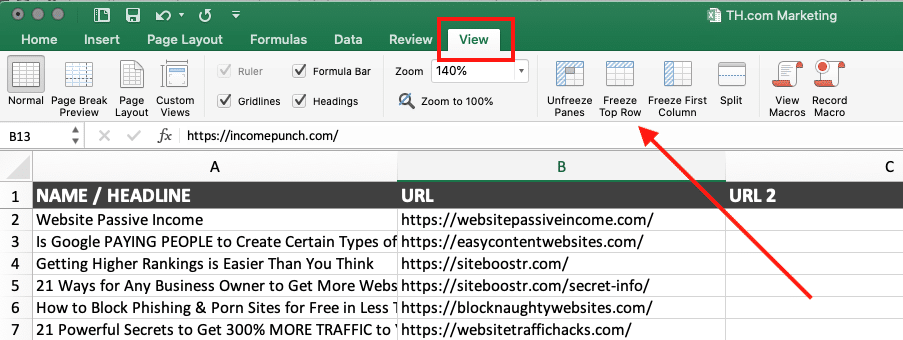
To freeze the top row in an Excel spreadsheet, go to the “View” tab, then to the “Freeze Top Row” button.
📄 Download a PDF of This Article


