

FIXED: “Sorry! There Was an Error Editing Your Pin” Error on Pinterest
 Reading Time: 2 minutes
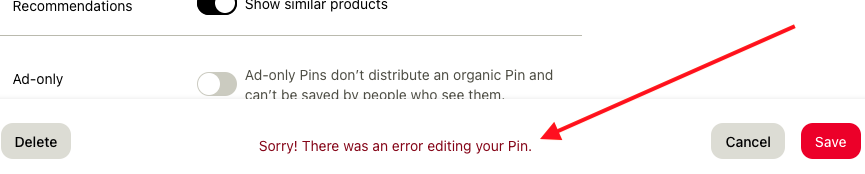
 If you’re trying to clean up or update your Pinterest boards and run into this frustrating message:
“Sorry! There was an error editing your Pin.”
Don’t worry—you’re not alone, and this issue has a surprisingly simple fix.
Why Does This Happen?
Pinterest’s servers sometimes take a little while to process updates, especially if you’re making multiple changes quickly. When you try to edit too many Pins back-to-back, Pinterest might temporarily block further changes to prevent spam-like behavior—even if you’re just managing your own account.
The Quick Fix: Just Wait 5 Minutes
The solution is easy but requires a little patience:
- Stop editing for at least 5 minutes (maybe a bit longer).
- Try making your changes again.
- You should now be able to edit your Pin successfully.
In most cases, this cool-down period is all you need. If you’re still running into issues after waiting, try logging out and back into your Pinterest account or clearing your browser cache.
Pro Tip: Plan Your Updates in Batches
If you’re doing a lot of board cleanup or URL updates:
- Spread your edits out over time to avoid triggering this error.
- Consider using Pinterest’s bulk editing tools or scheduling updates.
Conclusion

Sometimes the simplest solutions are the best ones. If you run into the “Sorry! There was an error editing your Pin” message, don’t panic—just give Pinterest a little break, and you’ll be back to editing in no time!
Have you experienced this error before? What worked for you? Leave a comment below and share your experience!
📄 Download a PDF of This Article


