

Does “Near Me” in Keywords Matter?
 Reading Time: 2 minutes
 TL;DR Summary: Google prioritizes local results based on the searcher's location, so optimizing keywords with "near me" isn't necessary. Ensure Google and customers know your service areas by listing your address consistently, mentioning service areas on key pages, and using a service area map on your website. This not only helps visitors but also qualifies customers and aids in Google Business Profile verification. Read on for detailed strategies to enhance your local presence.
Do Near Me Searches Matter?
No. When people search for keywords without “near me,” Google will primarily show results relevant to their area. This means rankings (SERPs) depend on the geographical location of the searcher. Not having “near me” in keywords is not an issue.
In other words, Google figures it out. There’s no need to optimize keywords with “near me” added onto them. You don’t need to do that. It also looks weird on a page. Google uses your IP address to figure out where you are. They then give you results for your current location. This is a bit more inaccurate on mobile devices, which is why Google asks your permission to share your location. When asked, say yes so that you get the best results.
For example, if people in different areas in the same industry, like plumbers, both optimize for “plumbers near me” will Google show a search result to someone outside of the searcher’s area because they optimized for that keywrod? No, of course not. That would be a terrible result. Instead, make sure it’s clear where you’re located – that is how to optimize for local… let’s dive in.
Do Explain Which Areas Your Serve / Where You Are
Just make sure both Google and your customers know where you are. You can do this a number of ways:
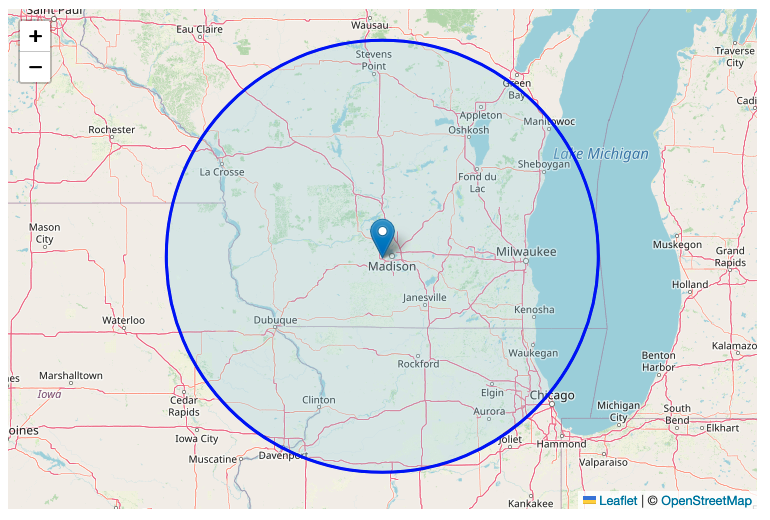
- Make sure your address is on your page. It should match what Google shows as your address. Keep it consistent in every place your address is mentioned (NAP consistency).
- On your About Us page, Contact Us page, and on your home page, talk about the areas you work in. Mention landmarks, events, and the culture.
- You can even have a service area map on your website to show exactly which areas you serve. This helps website visitors, so why not do it? And (this is a big one…) you qualify customers. That means less calls from outside your service area, wasting your time.
- Have a page on your website for each location you have. Put the address on it, using schema. Embed a Google Map on those pages. Have photos of your location.
Google Business Profile Verification
Any, by the way, all this stuff helps you get verified on Google Business Profile, which has gotten really tough. I just talked with someone having trouble and their address was not found on their website. Yeah, that’ll make it super difficult, if not impossible.
Conclusion
Don’t just try to out-game Google by using “near me” with keywords. Instead, make it clear which areas you serve with lots of proof, of different kinds, too. Don’t just say it, show it.
📄 Download a PDF of This Article


