How to Show a Service Area Map on Your Website — For Free
 Reading Time: 3 minutes
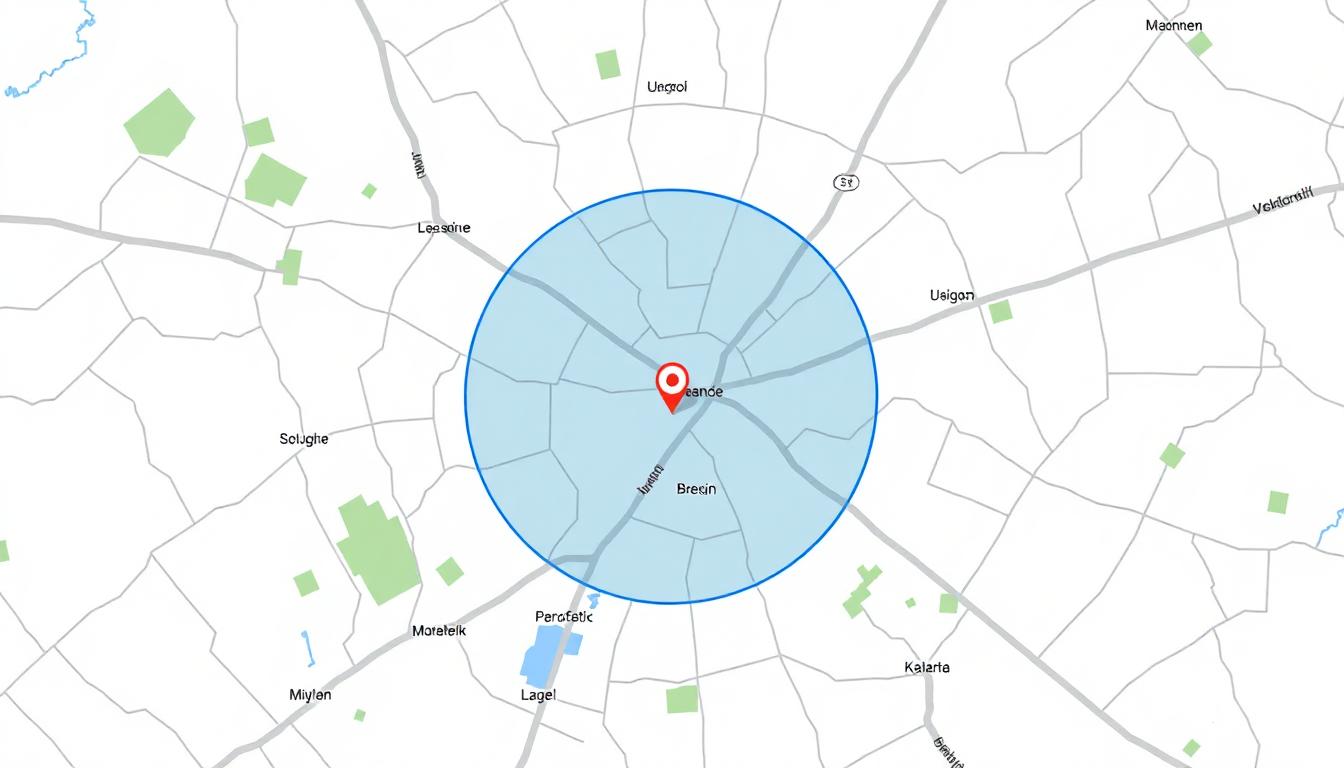
 If you run a small business and want to show the areas you provide service to — like a 30-mile radius around your office or shop — Google Maps doesn’t make that easy. You can’t just draw a circle and embed it. It’s not possible with Google Maps.
That’s why I created ServiceAreaMaps.com.
It’s a free tool that lets you enter your business address, choose a radius in miles or kilometers, and instantly create a map showing your service area.
You can then:

- Embed the map on your website (copy-and-paste)
- Share the link with customers
- Download the map as a standalone HTML file
No logins, no accounts, no payment required. Just a simple way to create a service area map for your website — for free.
Why This Helps
When visitors land on your site, they want to know one thing: Do you serve my area? Instead of listing dozens of cities or ZIP codes, just show them a map. It’s fast, clear, and helps convert visitors into customers.
It’s also great for local SEO. A visual map gives search engines more context and makes your page more useful to potential customers.
As a Bonus…
In addition to just creating a map showing your service area, if you include your business name, address, phone, and website (all optional), you’ve just created a free business listing for your company. In the SEO (search engine optimization) world, we call this a citation, which is name, address, and phone (NAP). If you embed the map on your site and get views, then your site could show up near the top of the All Service Maps page.
Try It Now
Go to ServiceAreaMaps.com, enter your address and radius, and click “Create Map.” You’ll get:
- A live map with a circle showing your service area
- Embed code you can paste into any website
- A downloadable version you can host yourself
You can also view a list of public maps others have created and see how many times your map has been viewed.
Built for Small Businesses
This tool was designed for small business owners — especially contractors, service pros, and local shops who want to show where they operate. There’s no complicated software, and it’s 100% free to use.
Use it to create a service area map for your website today: ServiceAreaMaps.com
FAQs About How to Make a Service Area Map
How to make a service area map?
You can create a service area map by visiting ServiceAreaMaps.com. Just enter an address, set a radius, and you’ll get a map showing your coverage area — ready to embed or download.
How do I create an area map?
An area map can be created by using a mapping tool that supports radius overlays. ServiceAreaMaps.com is a free option that lets you generate one in seconds without needing any special software.
Can I add Google Maps to my website for free?
Yes, but Google Maps limits how much traffic you can have before you’re charged. If you want a map with a service area overlay, Google doesn’t support that directly — but ServiceAreaMaps.com does.
Do you have to pay for Google Maps on your website?
Google Maps has a free tier, but if your site sees a lot of traffic or uses advanced features, charges can apply. Open-source tools like Leaflet.js and OpenStreetMap are free and don’t have usage limits.
Is OpenStreetMap API free?
Yes. OpenStreetMap is completely free and open source. ServiceAreaMaps.com uses OpenStreetMap tiles along with Leaflet.js to generate interactive maps without any licensing fees.
How do I add a service area in Google Maps?
Google Maps doesn’t offer a built-in way to draw and display service areas with circles. That’s why tools like ServiceAreaMaps.com exist — to fill that gap and let you show a radius around any location.
Final Thoughts
If you want a fast, free way to show a service area map on your website, this is it. No accounts. No limits. Just enter your info, copy the embed code, and you’re done.
Start here: ServiceAreaMaps.com
📄 Download a PDF of This Article